| Tool | Dependency/Gantt support | Cohort-level rollup view | Template reuse across supervisors | Typical cost basis |
|---|---|---|---|---|
| Microsoft Project | Full, mature dependency chains and critical-path calculation | Possible via portfolio view, but built for one large project, not many small ones | Strong, via saved project templates | Per-seat licence, often already covered under a campus Microsoft agreement |
| Smartsheet | Full Gantt with dependencies, spreadsheet-native | Strong, purpose-built portfolio/rollup views across many sheets | Strong, via reusable sheet templates | Per-user subscription, tiered by feature set |
| monday.com | Good, timeline view with dependencies | Strong, dashboard rollups across boards | Strong, via board templates | Per-seat subscription, tiered |
| Asana | Moderate, timeline view exists but dependency chains are simpler | Moderate, portfolio view exists but less suited to Gantt-heavy tracking | Strong, via project templates | Free Personal plan (2 users, no timeline or dependencies); per-seat paid plans for timeline, Gantt and dependencies |
A mechanical or electrical engineering thesis has scheduling dependencies a humanities or business dissertation does not: equipment-booking windows, a fabrication or prototyping phase that cannot start until a design review passes, simulation-software licences shared across a lab, and in some projects, a test phase that depends on a supplier’s delivery date the student does not control. A generic project-management tool built around dependencies and critical-path scheduling, not a research-specific compliance platform, is usually the right category for this job — and the four compared here are scored on how well they support a graduate school tracking many small, dependency-heavy student projects at once, not on which has the most features overall.
Why this is a scheduling problem before it is a supervision problem
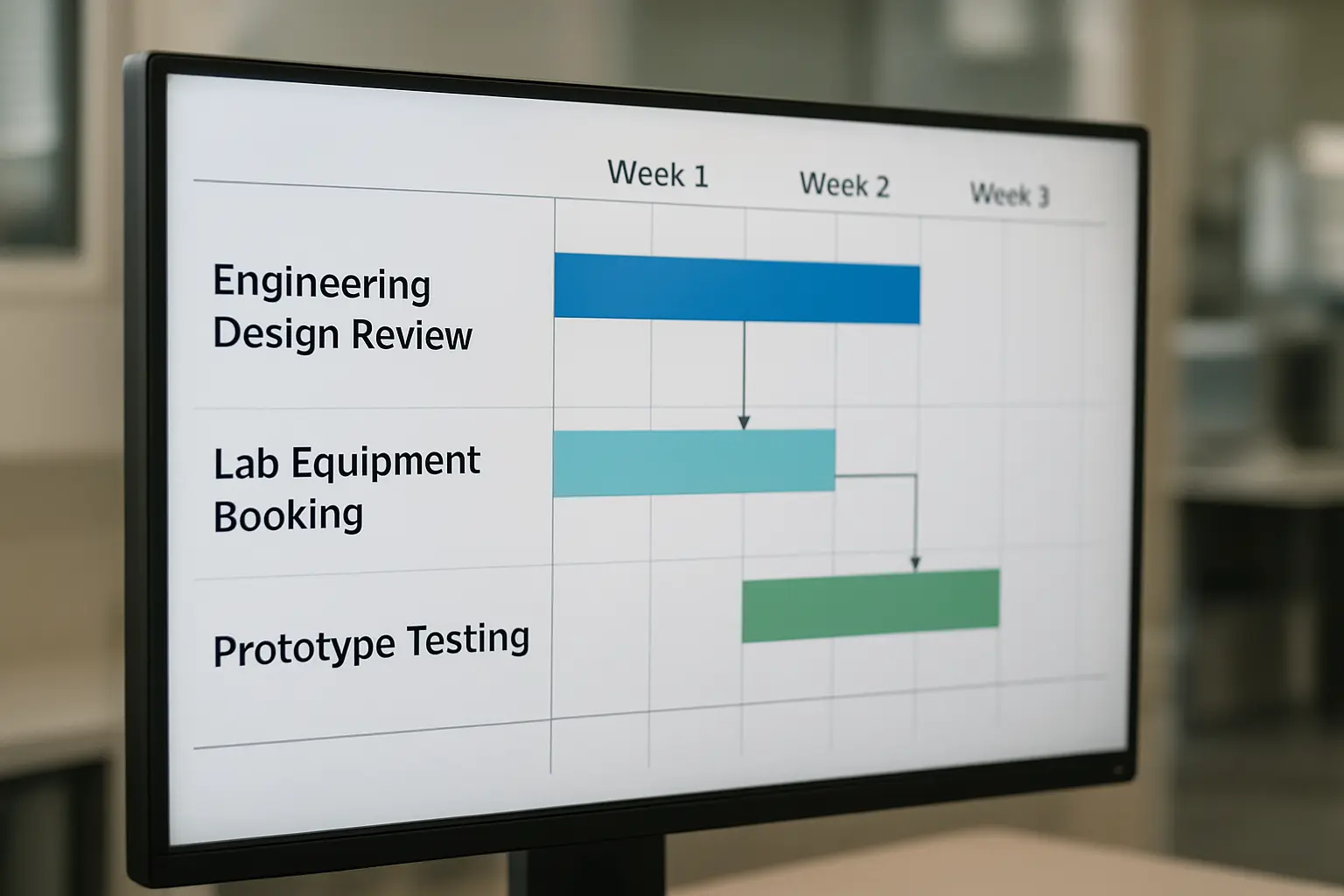
A thesis in mechanical or electrical engineering routinely has a hard dependency chain: literature review and design work can proceed in parallel, but fabrication cannot start until a design review is signed off, testing cannot start until fabrication is complete and equipment is booked, and analysis cannot start until testing produces data. A delay at any link pushes every downstream step, and a supervision-meeting-cadence view (the default in most generic academic progress-tracking systems, which log meetings and milestones as discrete dated events) does not show that a two-week equipment-booking delay in month four has silently eaten the buffer the student was counting on in month nine. A genuine Gantt-with-dependencies tool makes that chain visible to the student and the supervisor at the point the delay happens, not at the point the deadline is missed.
The four evaluation criteria that matter for a cohort, not just one project
1. Dependency and critical-path support. Can the tool actually model “task B cannot start until task A finishes,” and recalculate the downstream schedule automatically when task A slips? This is the core capability the comparison above is built around, and it is what separates a genuine project-scheduling tool from a to-do list with due dates.
2. Cohort-level rollup view. Can a graduate-school administrator or a supervisor with multiple students see, at a glance, which of twenty or thirty individual project timelines are currently at risk, rather than opening each student’s plan individually? Tools built primarily for one large project (a single Gantt chart) handle this less naturally than tools built with portfolio or dashboard views from the start.
3. Template reuse across supervisors. Can a department publish a standard project-phase template (literature review, design, fabrication, testing, analysis, write-up) that every new student’s plan starts from, rather than each supervisor building a schedule from scratch in a different format? Consistent templates make the cohort-level rollup in criterion 2 actually usable, because every student’s plan is structured the same way.
4. Cost per seat at cohort scale. A departmental pilot with ten students is a different cost question from a rollout across a 150-student cohort, and per-seat pricing that looked trivial in a pilot can become a real budget line at scale — worth modelling against the actual cohort size before committing, not just the pilot size.
What each tool is, in plain terms
Microsoft Project is the most established dedicated project-scheduling tool, with mature dependency and critical-path calculation, and many universities already hold a campus-wide Microsoft licensing agreement that may cover it at no additional marginal cost — worth checking with IT procurement before assuming a new subscription is needed. Its portfolio view supports seeing multiple projects together, though it was originally built around one large, complex project rather than many small parallel ones, which shows in how naturally the cohort-rollup use case fits. The product line is also shifting: Microsoft retires Project Online (the Project Web App portfolio environment) on 30 September 2026, leaving Project desktop and the new Microsoft Planner as the continuing options, so confirm which of these the campus agreement actually covers before building a cohort workflow on it.
Smartsheet combines a spreadsheet-native interface (lower learning curve for staff used to Excel-style tools) with genuine Gantt and dependency support, and its portfolio and rollup views are built specifically for managing many linked sheets at once, which maps closely onto a graduate school’s actual need — one sheet per student, one rollup view for the administrator.
monday.com offers a strong visual timeline view with dependency support and dashboard rollups that are generally considered more approachable for non-project-management-trained staff than Microsoft Project’s interface, at the cost of slightly less mature critical-path calculation for genuinely complex dependency chains.
Asana is widely adopted for lightweight team task management and has low-cost entry-level paid plans (its free Personal plan is capped at two users and excludes the timeline, Gantt and dependency features this use case needs), but its timeline and dependency features are less built-out than the other three for genuinely Gantt-heavy scheduling — a reasonable choice for a department wanting to trial the general concept cheaply before committing to a heavier tool, less suited as the permanent cohort-wide solution once dependency chains get complex.
A worked example: two theses, two different dependency chains
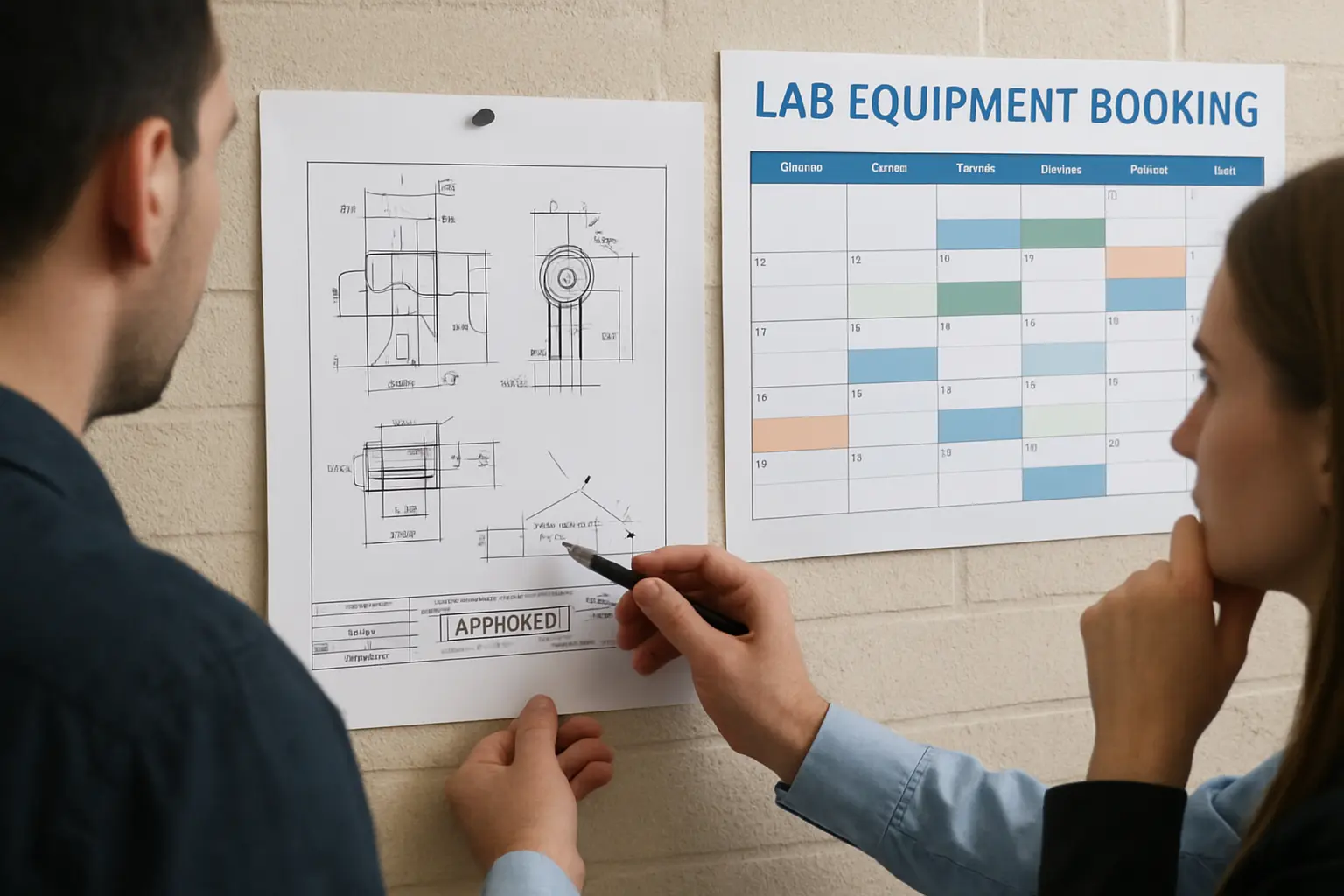
A mechanical engineering thesis building a physical prototype has a dependency chain anchored on equipment: a design review gate, a shared workshop-booking calendar with limited slots, and a testing phase that cannot begin until the prototype passes a safety check. An electrical engineering thesis built around simulation and a shared, licence-limited software seat has a different chain: model development, a queue for shared simulation-cluster time, and an analysis phase gated on simulation runs completing. Both chains are genuinely blocking — and both benefit from the same underlying tool capability, dependency modelling with automatic downstream recalculation — but a department that tracks only meeting dates and a final deadline, without modelling either chain explicitly, has no early warning when either the workshop calendar or the simulation queue becomes the actual bottleneck three months before submission.
How this differs from the ethics-review software comparison already covered
A different tool category entirely, worth being explicit about since both are procurement decisions a graduate school might bundle together. Comparing ethics-review and IRB management platforms for a nursing faculty’s thesis cohort covers software that manages committee approval workflow and risk-tiered routing — a governance decision. This piece covers software that models task dependencies and timeline risk — a scheduling decision. A mechanical or electrical engineering thesis with minimal human-subjects involvement typically needs the scheduling tool far more urgently than an ethics-review platform, while the reverse is often true for a placement-based health or social-science thesis. Evaluating both against the same generic “which software should the department buy” checklist, rather than recognising they solve different problems, produces a worse decision on each.
Common failure modes in rolling this out
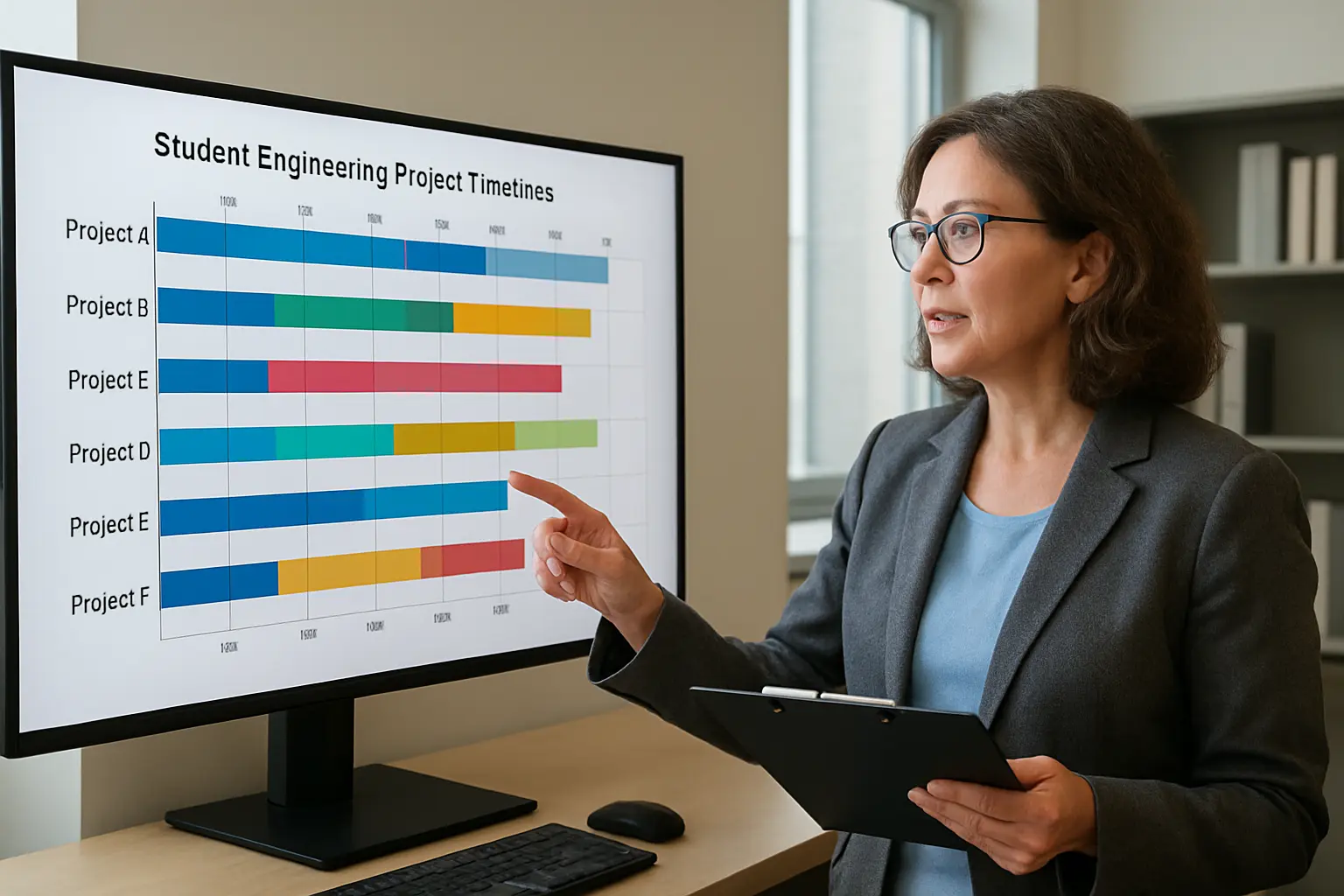
Three failures recur even at departments that commit to using a dedicated scheduling tool. First, students are handed the tool with no shared template, so each student builds an idiosyncratic plan that a supervisor with several students cannot compare or roll up meaningfully — the template-reuse criterion above exists specifically to prevent this. Second, the tool is adopted but dependencies are entered loosely (a task simply given a later due date rather than genuinely linked to its predecessor), which means the automatic recalculation that justifies paying for a dedicated tool never actually triggers when a delay happens. Third, the rollup view is built but nobody owns checking it on a regular cadence, so at-risk projects are visible in the tool but invisible in practice until a supervision meeting happens to surface them — a named owner checking the rollup weekly, even briefly, is what makes the dashboard worth having.
Data residency and integration are still worth checking
None of the four tools compared here are academic-sector-specific, which means the same data-residency and integration questions already set out generally in where student text is actually processed, compared across vendors apply here too: where is project-plan data hosted, does the institution’s existing single sign-on cover the tool, and does the vendor’s standard terms need review by the institution’s own data-protection office before a cohort-wide rollout, even though a project schedule itself is lower-sensitivity data than the ethics-application material covered in that comparison. Confirming this before procurement, not after a pilot has already collected a term’s worth of student data in the tool, avoids a migration problem later.
Sizing this against the wider capacity picture
The same seasonal cohort clustering already documented in the masters dissertation season capacity cliff applies directly to lab and equipment scheduling: if an entire engineering cohort’s fabrication phase lands in the same six-week window because every student started their literature review in the same month, the shared workshop calendar or simulation-cluster queue becomes the department’s actual bottleneck regardless of which software tracks it. A rollup view that shows this concentration a full term in advance is worth more than one that only shows it once the queue is already backed up.
Recommendation
For a mechanical or electrical engineering graduate school running a genuine multi-student cohort, Smartsheet is the strongest starting point on the criteria that matter most here: real dependency modelling, a rollup view built for managing many linked project plans at once, and a lower learning curve than Microsoft Project for staff already comfortable with spreadsheets. Where the university already holds a Microsoft campus agreement that covers Project at no marginal cost, that licensing reality can reasonably outweigh Smartsheet’s slightly friendlier interface. Asana is the right choice only for a small, low-stakes pilot testing whether cohort-wide milestone tracking is worth investing in at all, not as the long-term platform once a department is confident the approach works.
Where Tesify fits
Scheduling and tracking the project timeline itself is a tool decision that stays with the graduate school — Tesify does not compete with a dedicated project-management platform. Where the Tesify for Institutions workspace helps is the writing side that sits alongside the schedule: a student whose fabrication phase has just been delayed by a workshop-booking conflict still needs to keep the literature review and methodology chapters moving in parallel, and a supervisor-visible drafting workspace makes that parallel progress checkable without a separate status meeting. For cohorts where integrity screening is also part of the milestone plan, the Tesify Integrity Suite for Institutions runs batch screening at each submission milestone rather than only at final submission. A free departmental pilot lets one cohort test the writing-side workspace before any procurement decision on either tool.
Frequently asked questions
Do we need a dedicated project-management tool, or can spreadsheets work?
A well-built spreadsheet can model simple timelines, but it will not automatically recalculate downstream dates when an upstream task slips, which is the specific capability that catches a delay early rather than at the deadline. That automatic recalculation is the main reason to pay for a dedicated tool.
Which tool is cheapest for a small pilot?
Asana’s entry-level paid plan is the lowest-friction way to trial the general approach before committing budget to a heavier tool. Its free Personal plan is capped at two users and does not include timeline or dependency features, so it cannot test the capability that matters most here.
Does Microsoft Project require a new licence?
Not necessarily — many universities already hold a campus-wide Microsoft agreement that may cover Project at no additional marginal cost. Check with IT procurement before assuming a new subscription is required — and note that Project Online retires on 30 September 2026, so confirm whether the agreement covers Project desktop or the new Microsoft Planner instead.
What is the single most important feature for a thesis cohort specifically?
Genuine dependency modelling with automatic downstream recalculation, combined with a cohort-level rollup view so a graduate-school administrator can see which of many student projects are currently at risk without opening each plan individually.
Should every student’s project use the same template?
A shared department-level template for the standard phases (literature review, design, fabrication or simulation, testing, analysis, write-up) makes the cohort-rollup view meaningfully usable; individual customisation within that shared structure is normal and expected.
How is this different from an IRB or ethics-review platform comparison?
A different tool category entirely. Ethics-review software manages approval workflow and committee routing; a project-scheduling tool manages task dependencies and timeline risk. A mechanical or electrical engineering thesis with minimal human-subjects involvement may need the second far more than the first.
What happens if a dependency (equipment booking, licence access) is outside the student’s control?
The tool itself cannot resolve an external bottleneck like a shared workshop calendar or a licence-seat queue, but modelling the dependency explicitly means the delay shows up as a schedule risk the moment it happens, rather than being discovered only when the final deadline is already at risk.